Traefik - http to https 적용하기
Docker에서 동작 중인 Traefik에서 http to https를 적용하는 방법이다.
Traefik - http to https 적용하기
traefik:v3.1.2
Container
CLI
개요
domain.com에 대해서 들어오는 모든 트래픽은 HSTS(HTTP Strict Transport Security)와 비슷하게 301 permanent로 처리하는 방법이다.
ref.
http to https 적용 하기
redirectscheme으로 간단히 처리가 가능하다.
아래의 예시는 실제로 사용하는 docker-compose.yml 파일의 labels이다.
1
2
3
4
5
6
7
8
9
10
11
12
13
14
15
16
# docker-compose.yml

#--------------------- 생략 ---------------------#
    labels:
      traefik.enable: true
      traefik.docker.network: proxy

      # ...

      # http-to-https
      traefik.http.routers.http-to-https.rule: Host(`$HOST_URL`) || HostRegexp(`^.+\.$HOST_URL$`)
      traefik.http.routers.http-to-https.entrypoints: web
      traefik.http.routers.http-to-https.middlewares: http-to-https@docker
      traefik.http.middlewares.http-to-https.redirectscheme.scheme: https
      traefik.http.middlewares.http-to-https.redirectscheme.permanent: true
#--------------------- 생략 ---------------------#
해당 파일에서 HostRegexp(`^.+\.$HOST_URL$`) 부분은 중요하다.
router 구조상 처음에 진입하게 되는 곳이 rule 부분이며, domain.com과 *domain.com가 가장 먼저 진입하게 되는 곳이다.
이후 middleware에서 redirectscheme.scheme처리로 https로 넘겨준다.
Dashboard를 통해서도 확인이 가능하다.
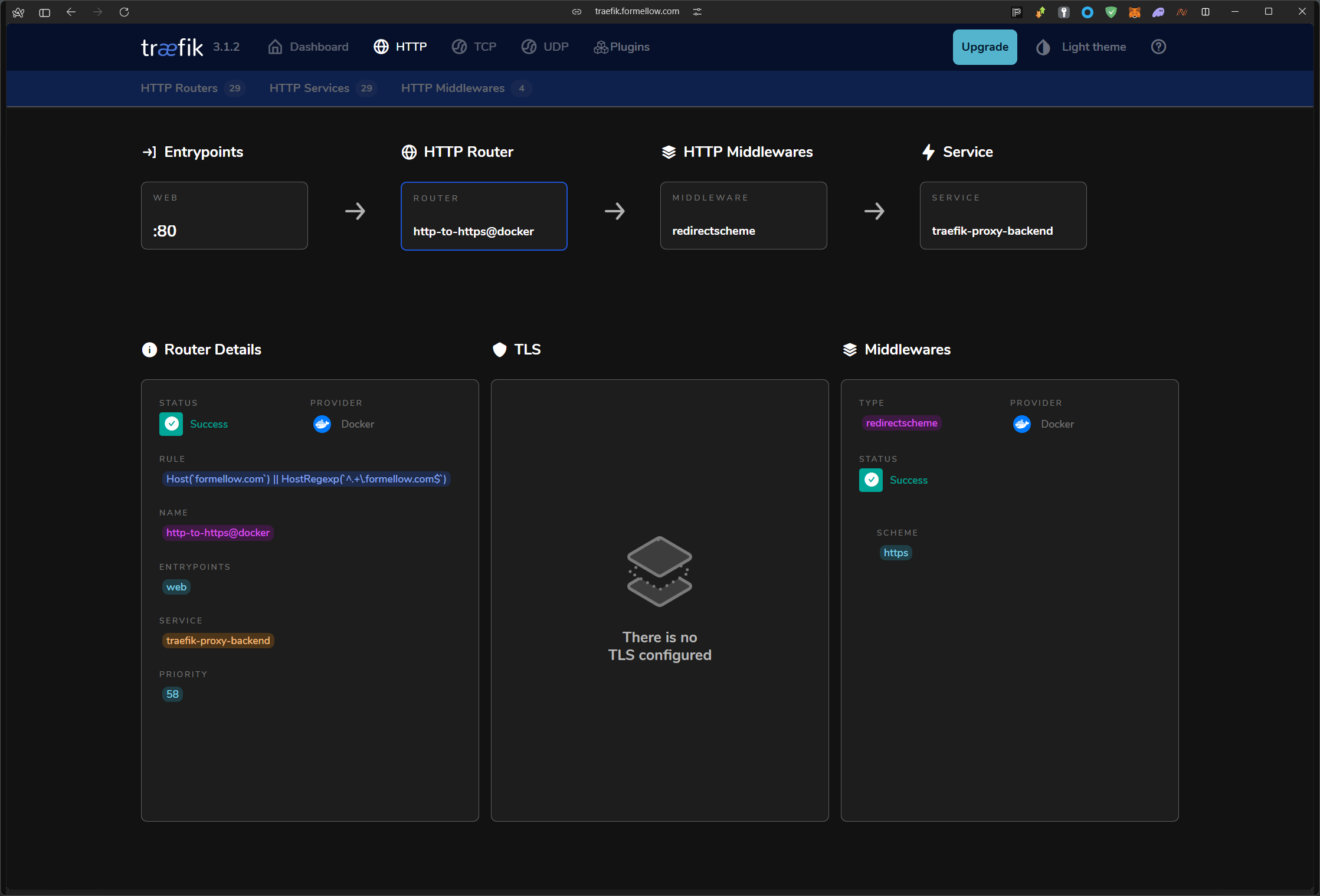 http-to-https@docker에 대한 dashboard
This post is licensed under CC BY 4.0 by the author.